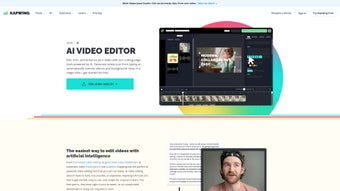

Download Kapwing Video Editor – Free Online AI Video Editing Tool
Overview
Kapwing Video Editor is a cloud‑based, AI‑powered video‑editing platform that eliminates the need for bulky desktop software. Designed for creators of every skill level, Kapwing lets you edit, enhance, and publish videos directly from your web browser. Whether you’re a social‑media marketer looking to produce eye‑catching reels, a teacher preparing lecture snippets, or a casual user wanting to add subtitles to family footage, Kapwing offers a seamless workflow that’s both fast and secure. The platform’s intuitive interface reduces the learning curve dramatically: you can drag‑and‑drop media, apply AI‑driven enhancements, and export high‑definition videos without ever installing a single program. Because everything runs on Kapwing’s servers, you benefit from automatic updates, cloud storage, and cross‑device accessibility. The core promise of Kapwing is “effortless video editing” – a claim backed by features like automatic B‑roll generation, AI subtitle creation, and instant audio clean‑up. These tools work in real time, allowing you to preview changes instantly and publish directly to YouTube, Instagram, TikTok, or any other channel. In short, Kapwing Video Editor combines the power of professional‑grade editing with the simplicity of a web app, making it the go‑to solution for anyone who needs polished video content without the hassle of traditional software.
Key Features That Set Kapwing Apart
- AI‑Powered Automatic B‑Roll Generator: Upload a script or raw footage, and Kapwing suggests relevant stock clips that fit your narrative, cutting down editing time by up to 70%.
- Instant Subtitle Creation & Translation: Generate accurate subtitles in over 30 languages with a single click, then export them as SRT files or embed them directly into the video.
- Audio Enhancement Suite: Remove background noise, boost voice clarity, and balance sound levels automatically, ensuring a professional‑grade audio track.
- Drag‑and‑Drop Timeline: A visual timeline that lets you trim, split, and reorder clips with pixel‑perfect precision, all inside the browser.
- Template Library: Hundreds of pre‑designed templates for social media posts, ads, memes, and educational videos, ready to customize in seconds.
- Collaborative Editing: Share a project link with teammates, assign roles, and edit together in real time, perfect for remote teams.
- One‑Click Export to Multiple Formats: Export videos as MP4, GIF, or even optimized for Instagram Reels, TikTok, and YouTube Shorts without manual re‑encoding.
- Secure Cloud Storage: All projects are saved securely on Kapwing’s encrypted servers, with version history and automatic backups.
Installation & Usage Instructions
Because Kapwing is a web‑based application, there is no traditional installation process. Follow these simple steps to start editing within minutes:
- Visit the Official Site: Open your preferred browser (Chrome, Firefox, Safari, Edge) and navigate to kapwing.com.
- Create a Free Account: Click “Sign Up” and register using an email address, Google, or Apple ID. The free tier provides unlimited projects with a 250 MB file size limit per upload.
- Start a New Project: From the dashboard, select “New Project” → “Video” and choose to upload files from your computer, drag them directly onto the canvas, or import from a URL (YouTube, Vimeo, etc.).
- Apply AI Tools: Use the sidebar to add subtitles, enhance audio, or click the “B‑Roll Generator” to auto‑populate relevant footage. Each tool runs in the cloud, so processing time depends on file length and internet speed.
- Edit Your Timeline: Trim clips, add transitions, overlay text, and insert stickers using the drag‑and‑drop timeline. Preview changes instantly by pressing the play button.
- Export & Share: When satisfied, click “Export Video.” Choose your desired resolution (720p, 1080p, 4K) and format. You can publish directly to social platforms or download the file for offline use.
For power users, Kapwing also offers a Chrome extension that lets you capture screen recordings and instantly send them to the editor. The extension is optional and can be installed from the Chrome Web Store with a single click.
Compatibility (Operating Systems)
Kapwing runs on any modern operating system with a supported web browser, including Windows 10/11, macOS Monterey and later, Linux distributions, as well as mobile platforms such as Android 11+ and iOS 14+. Because all processing occurs on Kapwing’s servers, device specifications have minimal impact on performance; a stable internet connection is the most important requirement.
Pros and Cons
Advantages
- No software download or installation required – works entirely in the browser.
- AI-driven tools (B‑roll generator, subtitles, audio clean‑up) dramatically reduce editing time.
- Cross‑platform compatibility ensures you can edit from Windows, macOS, Linux, Android, or iOS.
- Free tier available with generous limits; premium plans add higher upload caps and brand‑free exports.
- Collaborative features make it ideal for remote teams and educational settings.
Drawbacks
- Large video files depend on internet speed; slow connections can cause lag during processing.
- Free version imposes a 250 MB file size limit and watermarks on exported videos.
- Advanced color‑grading and motion‑graphics tools are limited compared to desktop suites like Adobe Premiere.
- Some users report occasional rendering glitches with very long timelines (over 30 minutes).
Frequently Asked Questions
Is Kapwing truly free to use?
Kapwing offers a free tier that allows unlimited projects with a 250 MB per‑file limit and a small watermark on exports. Upgrading to the Pro plan removes watermarks, raises the upload limit to 4 GB, and unlocks premium AI features.
Do I need a powerful computer to run Kapwing?
No. Because Kapwing processes videos on cloud servers, the only requirement is a modern web browser and a stable internet connection. Even low‑spec laptops or tablets can handle basic editing tasks.
Can I collaborate with team members in real time?
Yes. Kapwing’s collaborative mode lets you share a project link, assign editing permissions, and see changes made by teammates instantly, making it perfect for remote workflows.
What export formats does Kapwing support?
Kapwing can export videos as MP4, GIF, or animated WebM. You can also download subtitles as SRT files or embed them directly into the video. Export presets are optimized for platforms like Instagram Reels, TikTok, and YouTube Shorts.
Is my data safe on Kapwing’s cloud?
Kapwing uses SSL encryption for data transmission and stores files on secure, ISO‑27001‑certified servers. Projects can be deleted permanently at any time, and version history is retained only for the duration of your subscription.
Conclusion & Call to Action
Kapwing Video Editor delivers on its promise of effortless, AI‑enhanced video creation without the overhead of traditional desktop software. Its web‑based nature ensures you can start editing instantly on any device, while features like the Automatic B‑Roll Generator and multilingual subtitles give you professional results in a fraction of the time. For marketers, educators, and casual creators who value speed, collaboration, and cost‑effectiveness, Kapwing stands out as a top choice. If you’re ready to produce polished videos without the hassle of downloads and steep learning curves, download Kapwing Video Editor now and experience the future of online video editing.
Kapwing provides a surprisingly powerful suite of AI tools that make video editing fast and accessible. The free plan is generous, and the premium upgrade unlocks even more professional features. The only drawbacks are the reliance on a solid internet connection and occasional rendering quirks with very long timelines. Overall, it’s a highly recommended solution for anyone looking to create high‑quality video content without investing in heavyweight software.
- Zero installation, AI automation, cross‑platform
- Watermark on free exports, internet‑dependent



.png)



